Xbar and S Chart
What is an Xbar and S chart?
Xbar and S charts (sometimes referred to as X-S charts, X̄-S charts, or Xbar-S charts) are a type of control chart used to monitor processes where data are collected in meaningful subgroups. Like all control charts, they can identify special cause variation in a process. Any point outside the control limits is an indicator of special cause variation. These points are often discussed as “out-of-control” points.
Historically, Xbar-R (average and range) charts were used instead of Xbar-S charts, simply because manually calculating the range of a set of data points is easier than manually calculating standard deviation. With the advent of computers, however, this became a nonissue. Since Xbar-S charts are typically better at detecting process changes, they are a better choice for control chart implementation when using subgrouping.
What are the components of Xbar-S charts?
An Xbar-S chart is made from two charts:
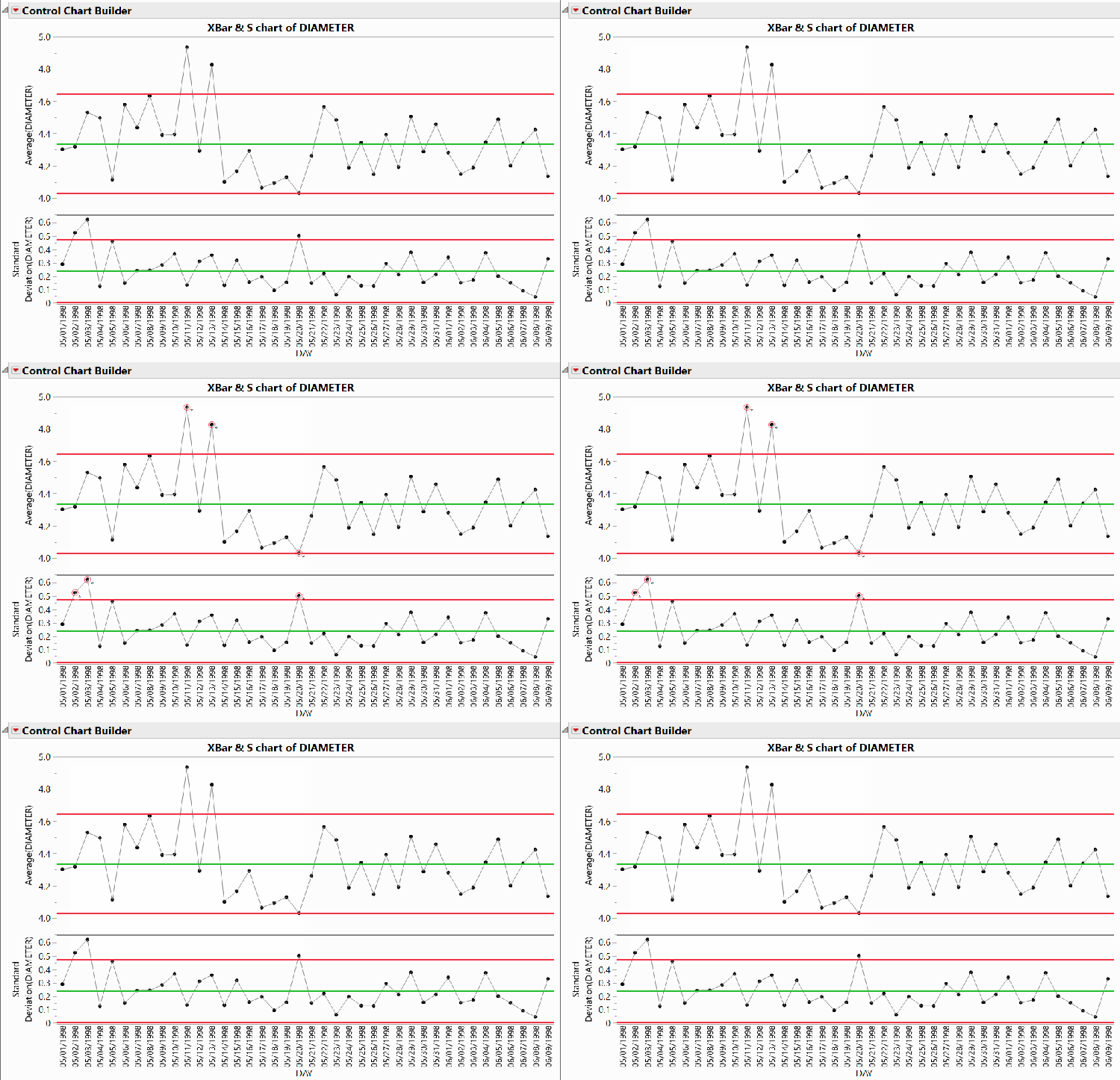
- X̄ (average) chart: This chart, which is typically the top chart in the Xbar-S group, plots the average of each subgroup as a data point in time order. The X̄ symbol (pronounced as X bar) is an abbreviation for “the average of X,” so this chart is based on averages of collected subgroups. The green center line represents the process average, while the red lines represent control limits, which are calculated to be a specific distance from the center line. Any point that falls outside of the zone created between the control limits, such as the flashing points in the example below, is considered out-of-control and would be a signal to begin root cause investigation and subsequent process improvement work.
- Dispersion (standard deviation) chart: Generally shown as the bottom chart, this chart plots the standard deviation within each group of data points. The green center line represents the average standard deviation of the groups. The red control limits are based on an estimate of the standard deviation within each subgroup.
Learn to create an Xbar-S chart in JMP.
https://www.youtube.com/watch?v=ZWriPwFJyUw
- To see more quality and reliability JMP tutorials, visit JMP's Quality and Reliability playlist on YouTube.
- To follow along using the sample data included with the software, download a free trial of JMP.
Calculations of Xbar-S charts
The basics of the calculations are as follows:
- X̄ chart: The center line of the X̄ chart is the average of averages, referred to as $\overline{\overline{\mathrm{x}}}$ and pronounced “X bar bar,” of each subgroup. The control limits are plus or minus three times an estimator of sigma. This estimator is created by using the bias-corrected average within subgroup standard deviation.
- S chart: The center line of the S chart is drawn at the average standard deviation for each of the subgroups. The control limits on the S chart are also based on the bias-corrected average within subgroup standard deviation.
Take a deeper dive
More detail and specific formulas for Xbar-S chart calculations can be found in Section 2.3 of JMP’s complimentary Statistical Process Control course.
Purpose and usage of Xbar-S charts
Control charts are used to find problems in a process, specifically whether the mean or the variance of the process has changed. To do this, control charts separate special cause variation from common cause variation, highlighting specific points where the process has changed.
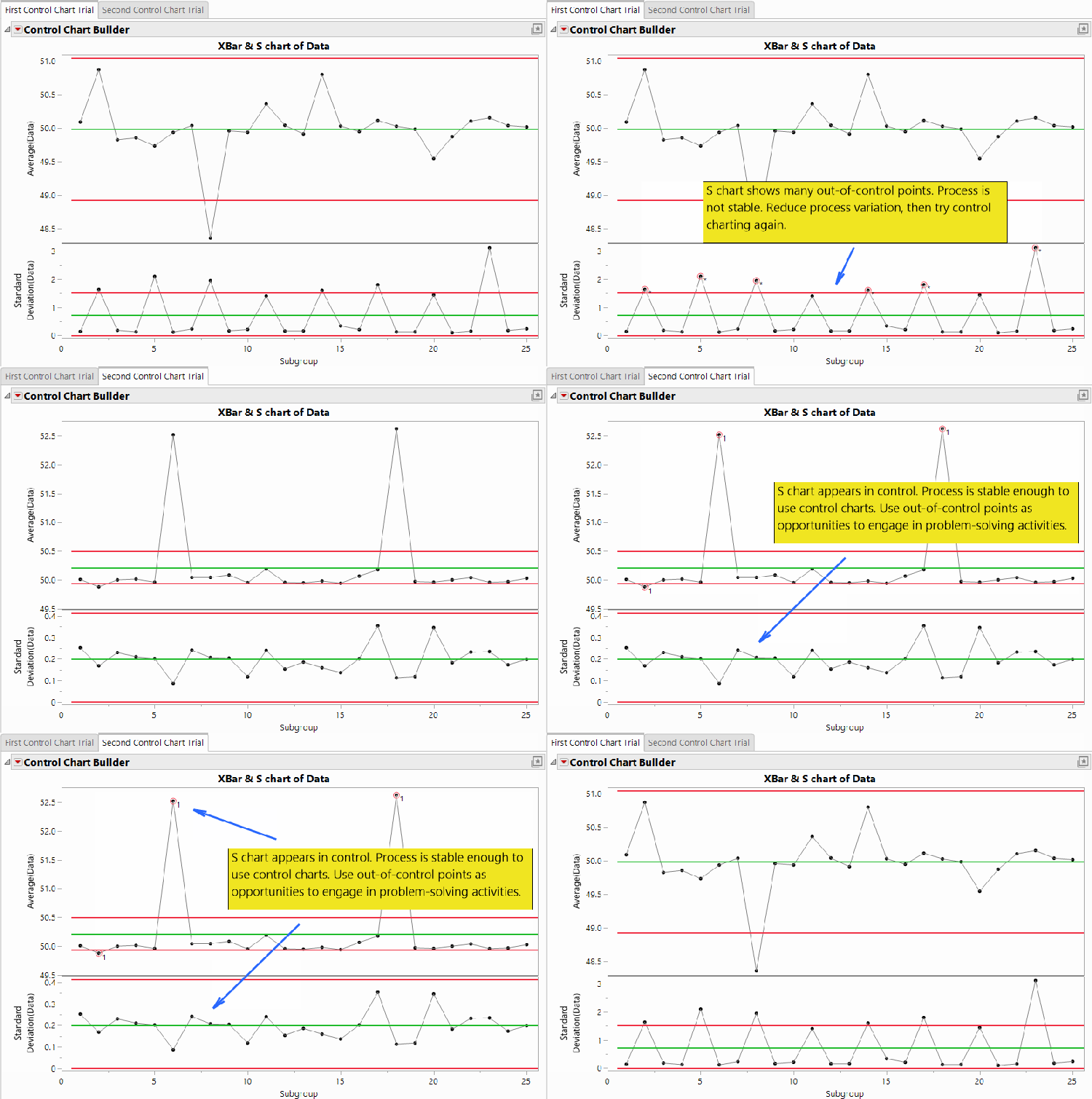
The generally accepted method for using an Xbar-S chart is first to verify that the S chart shows points in control, then to use the average chart to look for process problems. If the S chart exhibits many out-of-control points, particularly those not corresponding to an out-of-control point in the average chart, then the process is not stable enough to use control charting. In these cases, focus first on removing sources of variation from the process, then start the charting process again.
When to use Xbar-S charts
You should use Xbar-S charts when data are collected in meaningful subgroups, such as when tracking the height of injection-molded products that come from a multicavity mold where all the cavities are filled and pressurized by the same infeed process. Using control charts can be helpful in discovering and highlighting process problems early, when intervention can give you the best chance to avoid larger issues that can arise when you’re not aware of them.
Xbar-S charts are simple to construct and interpret, and they can be effective for processes with low or high data-collection frequency. Furthermore, grouping measurements into subgroups means Xbar-S charts are more sensitive to special cause variation than IMR charts are. This increased sensitivity means Xbar-S charts are often better at detecting subtle trends or process drift.
Xbar-S chart example
To help us better understand the concepts introduced above, let’s look at an example.
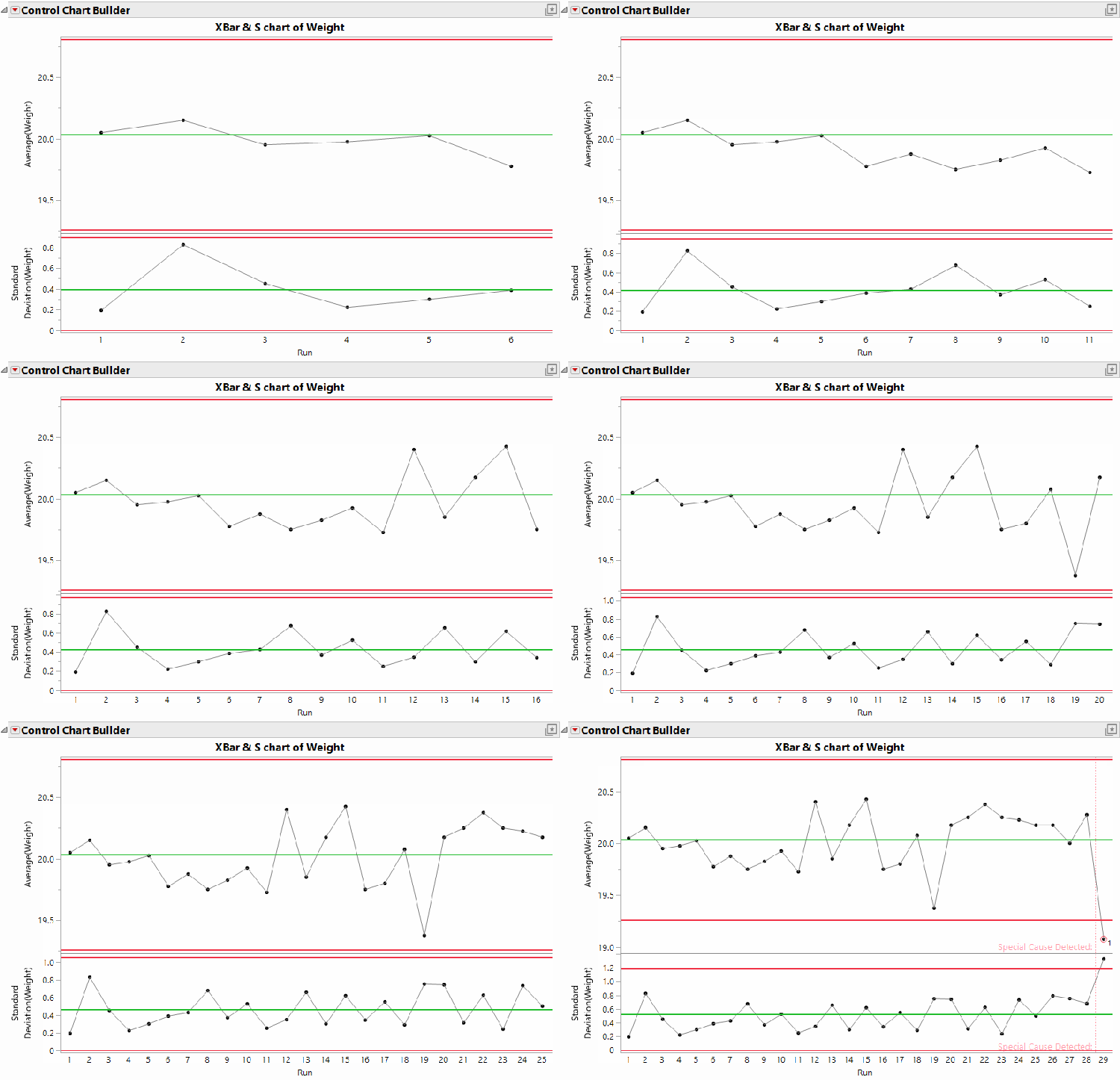
The company Red Triangle Widgets measures and records the weight of every widget made from an injection molding process. The mold has four cavities, all of which experience the same conditions each time the machine runs. Red Triangle Widgets keeps track of the run number associated with each batch of four widgets and uses this run number plus the measurements themselves to make the Xbar-S chart shown below.
In this example, the process continues without any special cause variation until the widgets in Run 29 are measured and charted. Red Triangle Widgets notices that this run is significantly shorter than all previous batches measured, has more variation than any previous run, and that the data points appear outside of the lower control limits for both the average and the range. Using this signal, the person weighing each widget stopped the process briefly and engaged in problem-solving activities with their team before restarting the process.