Canceling your subscription in the JMP Store
background-image

style
blue-purple-gradient, background-image-narrow, text-light, text-large
Please follow these steps to cancel your subscription:
-
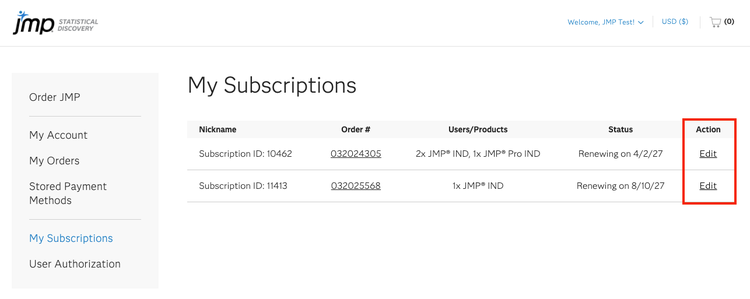
Log in to your JMP Store account and navigate to My Subscriptions.
-
Locate the subscription you want to cancel and click Edit in the Actions column.
-
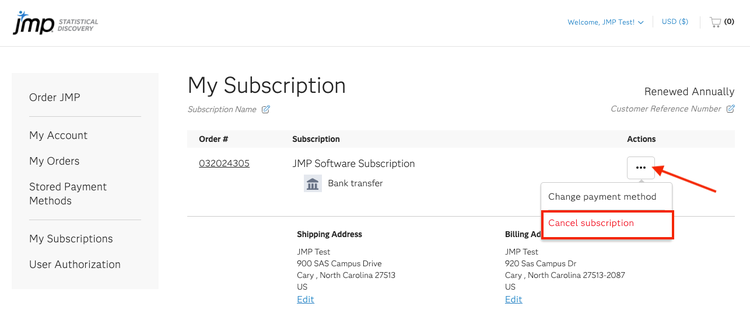
Click on the three-dot menu (…) located in the Actions column and select Cancel subscription.
-
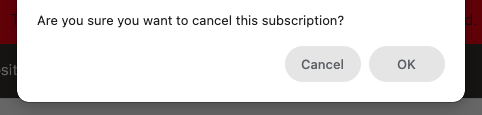
A confirmation message will appear. Click OK to confirm the cancellation or Cancel to return without canceling your subscription.
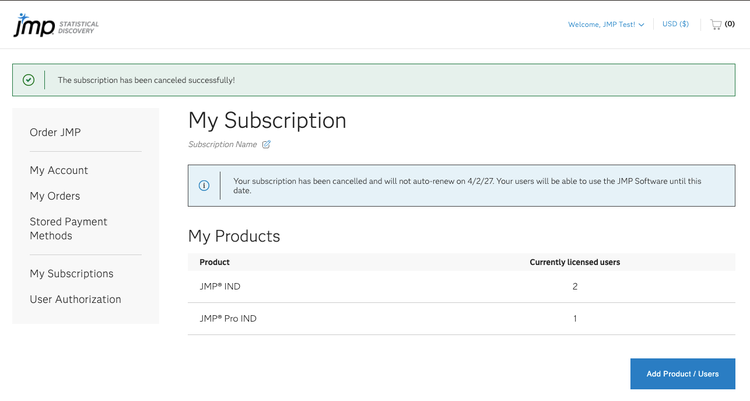
A confirmation message will appear indicating that your subscription has been canceled. The software administrator will also receive an email confirming the cancellation.