Please follow these steps to download a renewal quote:
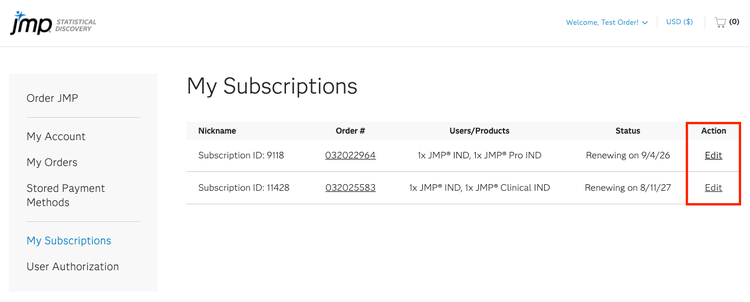
1. Log in to your JMP Store account and navigate to My Subscriptions.
2. Locate the subscription you want to update and click Edit in the Action column.
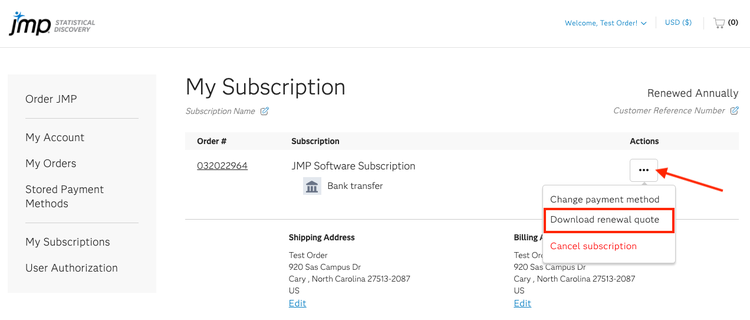
3. Click on the three-dot menu (…) located in the Action column and select Download renewal quote. The renewal quote will download as a PDF.
The Download renewal quote option is available once pricing for the upcoming renewal period has been finalized.
If pricing has not yet been published, the option may not appear. Once pricing is finalized and added to the system, the feature will automatically become available.