Multiple subscriptions: How to purchase a new subscription
background-image

style
blue-purple-gradient, background-image-narrow, text-light, text-large
1. Log in to your JMP Store account.
2. Select Order JMP.
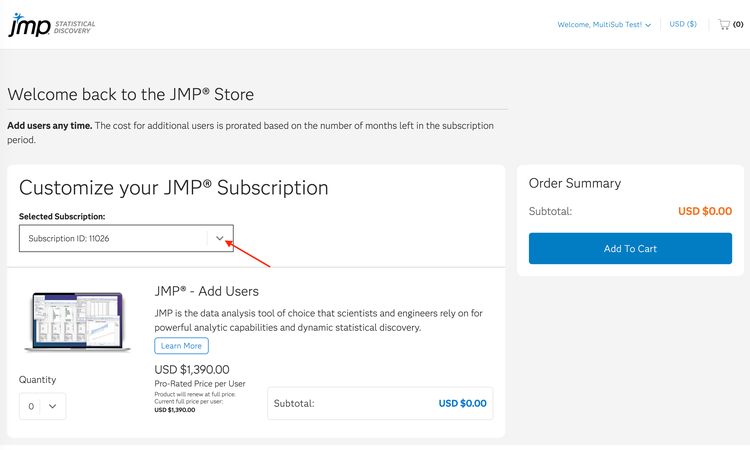
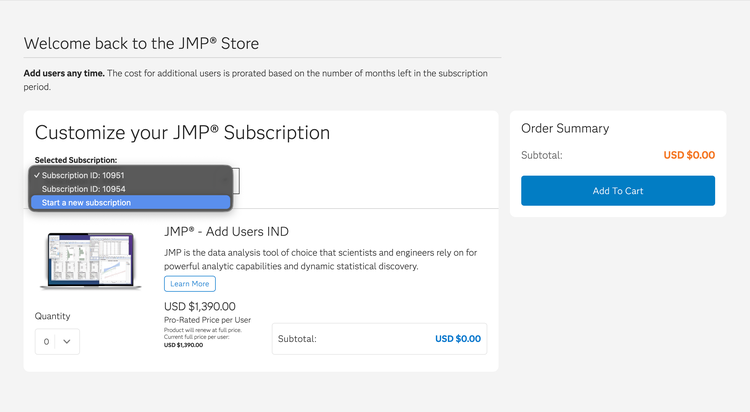
3. Click the Selected Subscription drop-down menu and select Start a New Subscription.
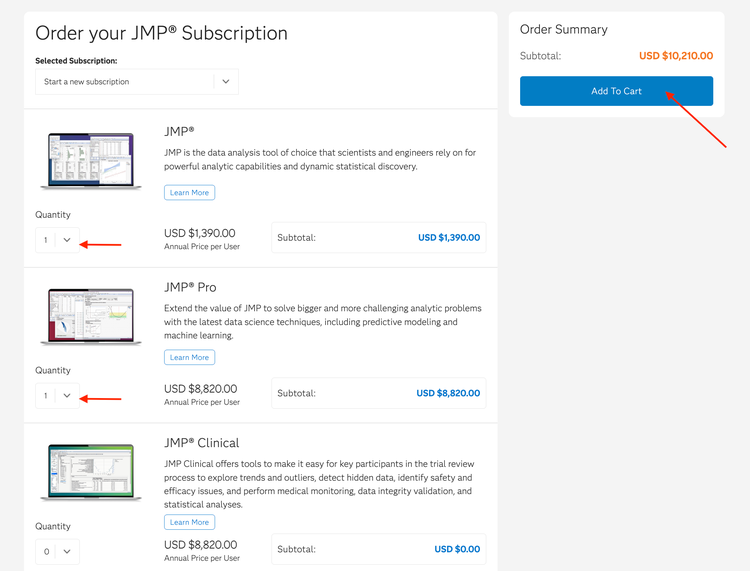
4. Select the desired quantity for each JMP product(s) and click the Add To Cart button.