Multiple subscriptions: View and manage your subscriptions
background-image

style
blue-purple-gradient, background-image-narrow, text-light, text-large
Use the My Subscriptions page to view and manage all subscriptions associated with your account. Each subscription can be managed independently and may have its own products, user quantities, renewal date, and settings.
View all subscriptions
Log in to your JMP Store account and navigate to My Subscriptions.
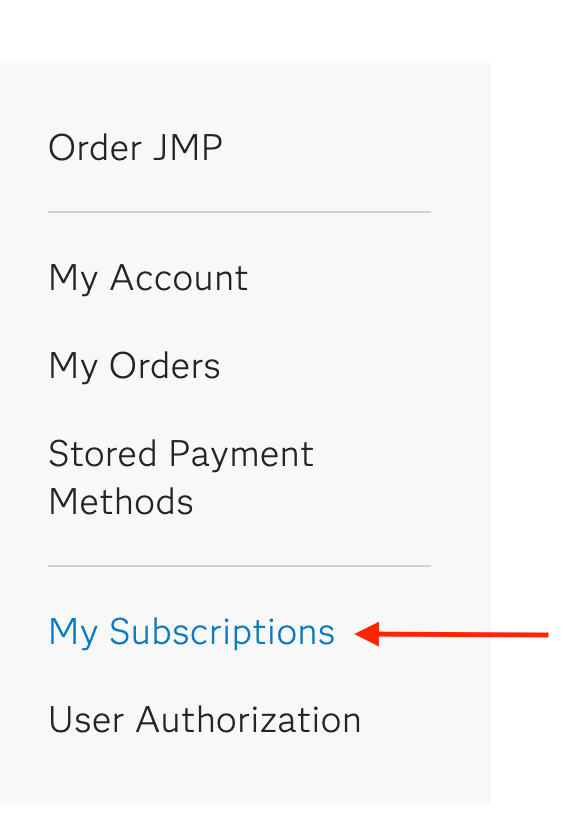
All subscriptions associated with your account will be displayed on the My Subscriptions page.
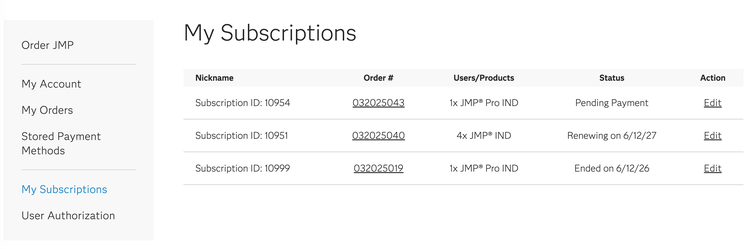
View and manage a subscription
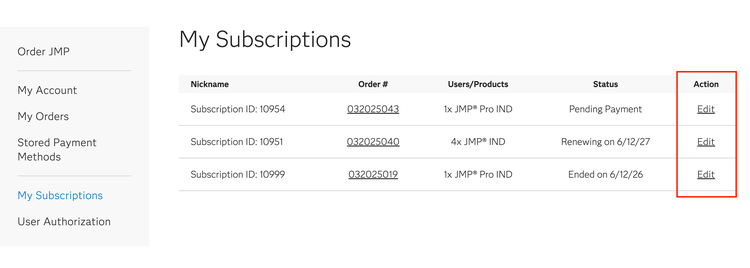
On the My Subscriptions page, locate the subscription you want to manage and click Edit in the Action column.
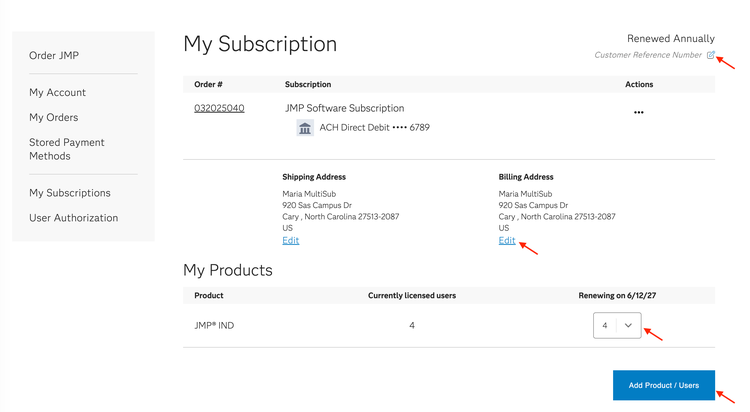
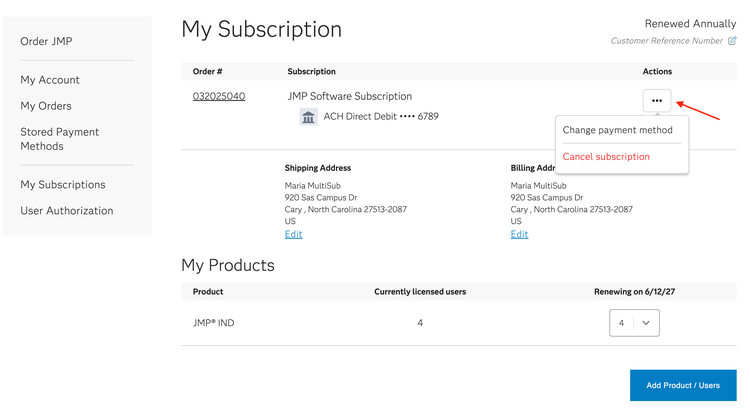
Use this page to review and manage subscription details, including billing and shipping addresses, licensed products, user quantities, payment information, renewal details, and customer reference numbers. You can also update billing and shipping addresses and adjust renewal quantities as needed.
To purchase additional licenses for products already included in the selected subscription, click Add Product/Users. To purchase a different product, start a new subscription.
Additionally, use the Actions menu (...) to download a renewal quote*, change the payment method, or cancel the subscription.
*Available options may vary depending on the subscription.
Important notes
- Each subscription is managed independently.
- Changes made to one subscription do not affect other subscriptions on the account.
- User additions, product changes, renewal quotes, and renewal actions apply only to the selected subscription.
- Canceling a subscription affects only the selected subscription and does not impact any other active subscriptions on the account.