Refresh Study Metadata
Use this option to refresh the current study’s metadata. Study metedata includes study domains, value ordering presets, etc.
| 8 | Select the study to be refreshed on The Studies Tab. |
| 8 | Click  to refresh the metadata fro the selected study. to refresh the metadata fro the selected study. |
Once this process has run, a Results window opens indicating that the metadata has been successfully updated.
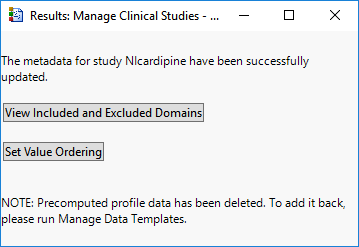
| 8 | Click to open a pdf listing the domains included and excluded from the study. |
| 8 | Click to open the Set Value Order and Color in Studies window. |
Note: If study profile data had been pre-computed, all pre-computed data is deleted when you refresh the study metadata. You should pre-compute your profile data again using the Manage Profile Data dialog.