Combine Studies...
This feature creates a new study by combining two or more existing studies.
Running this feature preserves all original data from studies to be combined, and creates new input data sets by appending rows from each corresponding parent data set. The USUBJID values of the new input data sets are unchanged. The new input data sets are then used to add the combined study to JMP Clinical.
To combine two studies:
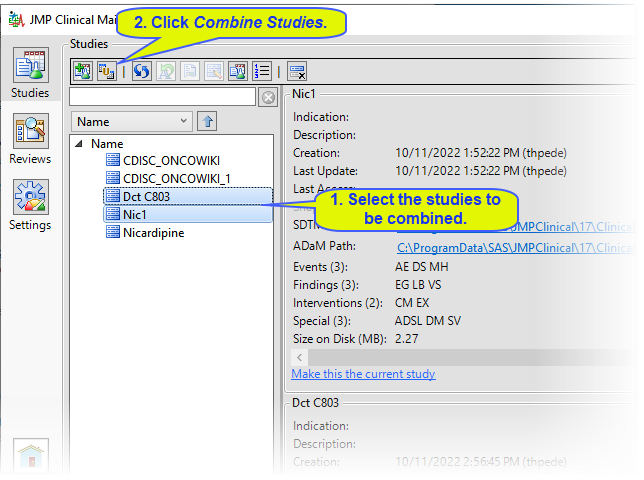
| 8 | Select the two studies to be combined and click  . . |
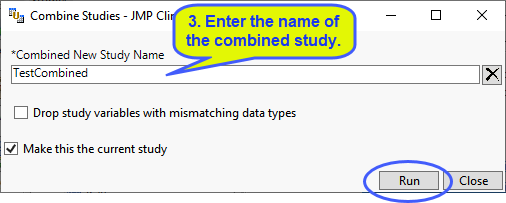
| 8 | Specify the name of the new study and check the appropriate options, then click . |
|
Options |
Information |
|||
|
Combined New Study Name |
|
|||
|
Drop study variables with mismatching data types |
|
|||
|
Make this the current study |
|
When the combination process is complete, the following Results window appears.
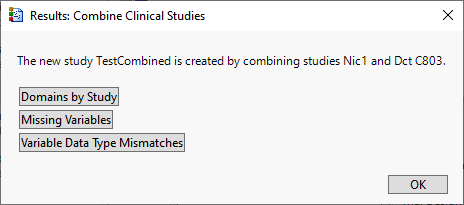
You can choose among the options to view selected items in the combined study.
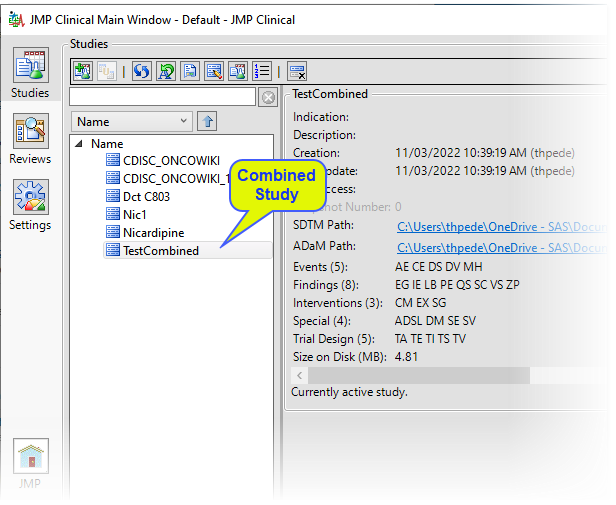
The combined study has been added to the list of available studies.
Note: Combined studies cannot be refreshed. You should refresh the initial studies individually and combine them again.