Highlight Subgroups
Highlight Subgroups is the most straightforward approach to highlighting multiple points according to two Features: 1. Factor Level and 2. Variable Importance.
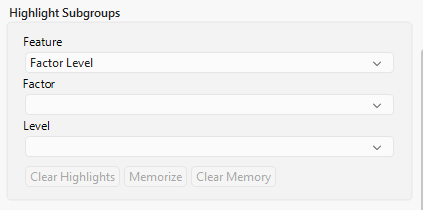
| • | Factor Level allows the user to highlight points for a given factor level, say Age Group 1 < 65. |
| • | Selecting Variable Importance will highlight points based on the variance of the Variable Importance (SS for continuous endpoints or G2 for categorical endpoints) from a Bootstrap Forest of the factor variables with the endpoint. The variance of the Variable Importance helps identify those factors which have the greatest heterogeneity in Variable Importance between treatments (which could impact the treatment heterogeneity). Factors can be selected based on the rank (rank 1 has the largest variance for Variable Importance, with larger values having smaller variance) or values of the Variable Importance; selected factors will be listed above the Funnel Plot. |
Note: The Variable Importance feature is not available for single-level treatment variables.
| • | Users can Memorize selected subgroups (green) so that key subgroup data can be maintained as users highlight and Clear Highlights as they explore. The data for memorized subgroups will be summarized in the Memorized Subgroups tables. Clear Memory will forget any memorized subgroups across all treatment effects. Note that memorized points can be highlighted or act as parents based on the selections of other subgroups. While the green color is maintained in these scenarios, the subgroups will be appropriately populated in all relevant tabs. For example, if a memorized subgroup also happens to be a parent for another subgroup based on a selection, this subgroup will maintain its green color in the funnel plot, but it will be summarized in the Memorized Subgroups tab as well as the Parent Subgroups tab. |