Reviews
Introduction
The Reviews tab (shown below) enables you to create a new review of the selected study, open an existing review, or use a template generated previously for another study to generate a review for the current study.
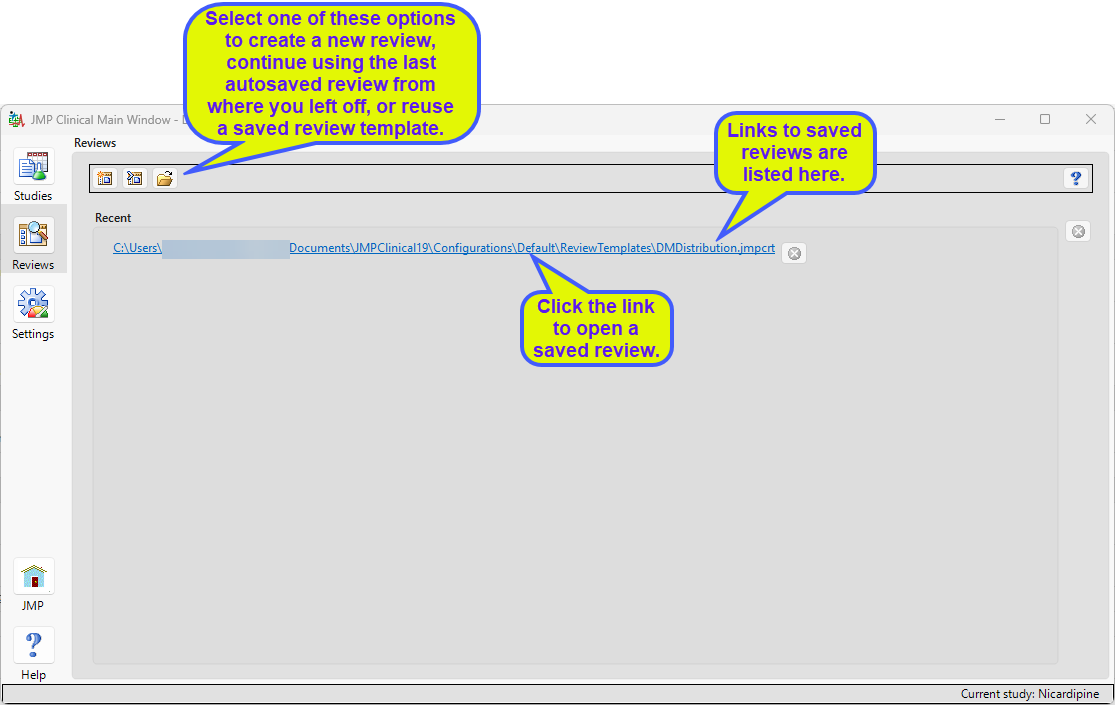
A Review consists of all of the reports generated during your analysis of trial data.
The Review Builder is used for creating a new review. It does this by first creating a template containing one or more reports that have been configured with specific options. This template can then be used for preliminary analysis and/or saved for use with subsequent analyses of the same or alternative studies
Autosaved Reviews
The Continue autosaved Review option allows the user to reopen the autosaved review for the current study. This provides a tool for the user to resume previous work. Click  to reopen your last review.
By default, JMP Clinical saves the last review run against the selected study. If a new review is created for the study, then it overwrites the previously autosaved one. If you want to permanently save the review, you must save the review template manually and provide it with a unique name.
Review Templates
Click on the following links for more information: