|
•
|
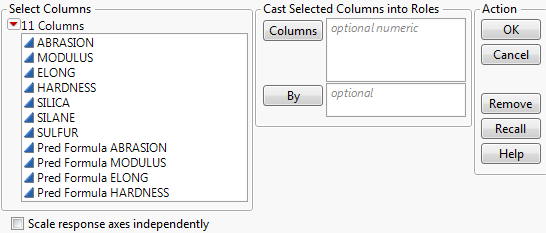
To launch the Surface Plot Profiler platform directly, select Surface Plot from the Graph menu. If there is a data table open, this displays the window in Figure 5.5. If you do not want to use a data table for drawing surface plots, click OK without specifying any columns. If there is no data table open, you are presented with the default surface plot shown in Figure 5.13.
|
|
•
|
The Surface Plot Profiler can be accessed as a red triangle menu option in many modeling platforms. In the red triangle menus, it is referred to as Surface Profiler. See Where to Find JMP Profilers in Introduction to Profilers for details about the availability of the Surface Profiler in different platforms.
|
 The Surface Plot Profiler can be accessed from the Formula Depot platform. Select Profiler from the Formula Depot red triangle menu and select the models to be profiled. Then, select Surface Profiler from the Profiler red triangle menu.
Figure 5.5 Surface Plot Launch Window