For the latest version of JMP Help, visit JMP.com/help.


Using JMP > Save and Share Your Data > Work with Projects
Publication date: 02/06/2025

Work with Projects

If you are constantly opening the same related files and reports, saving them to a project file is a quick way to reopen and access them in one place. You can also share the project file with other JMP users.

Figure 11.21 Project File with Data Tables and Reports 
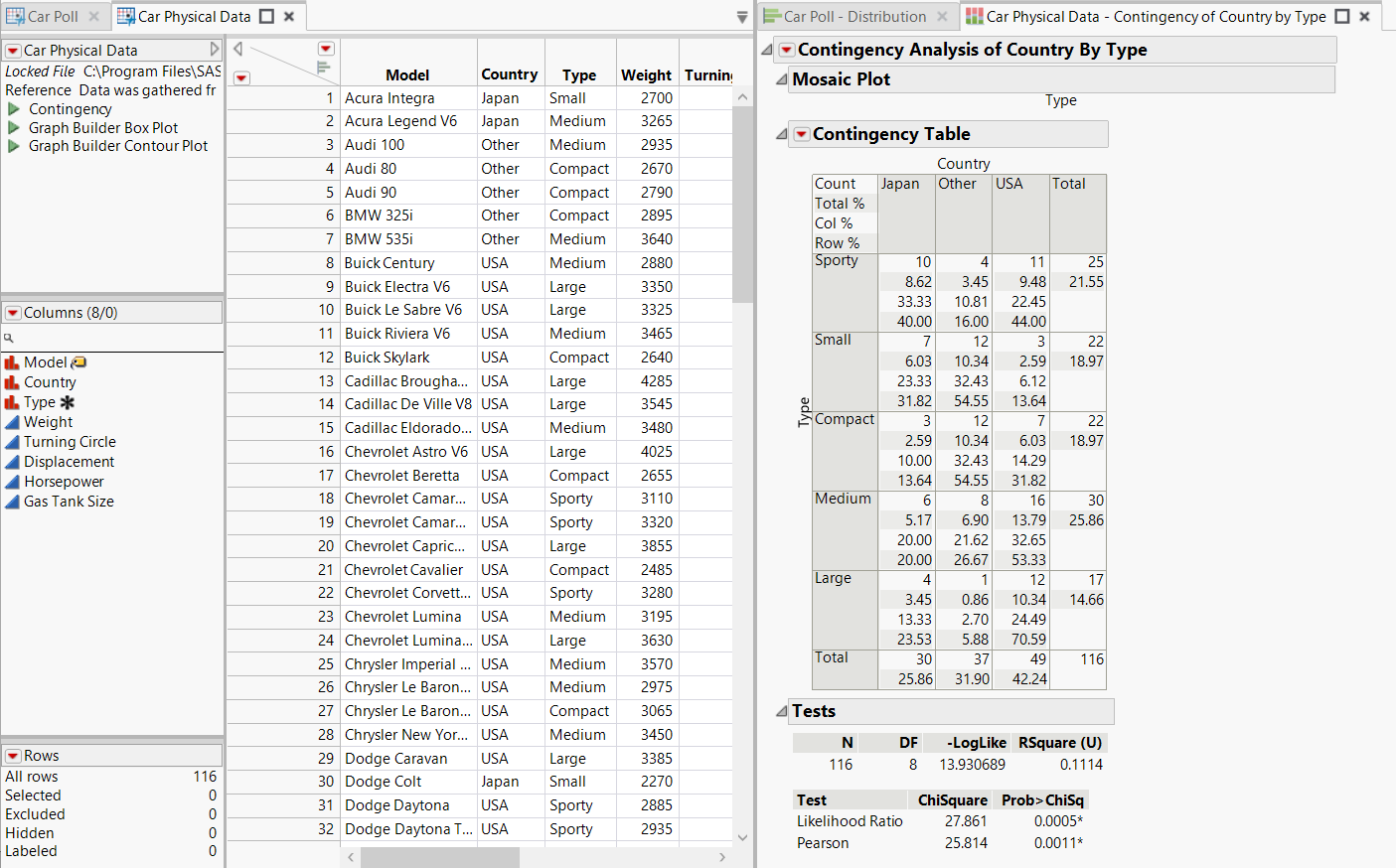
Project File with Data Tables and Reports

This section contains the following information:

• Create a New Project

• Open Files in a Project

• Rearrange Files in Projects

• Save a Project

• Project Workspace

• Project Bookmarks

• Project Contents

• Recent Files in Projects

• Project Log

• Move Files into Projects

• Write a Project On Open Script

• Example of Creating a New Project

Want more information? Have questions? Get answers in the JMP User Community (community.jmp.com).