Create New Data Tables
To create a new data table by entering data manually
1. Select File > New > Data Table.
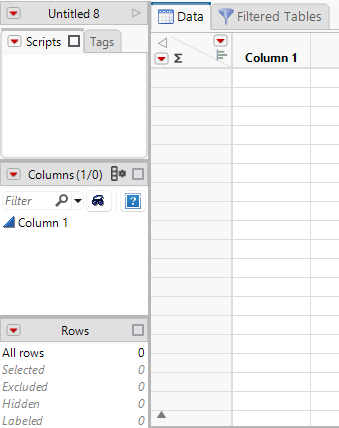
This shows an empty data table with no rows and one numeric column, labeled Column 1.
2. Move the cursor onto a cell.
3. Double-click in the cell. The cursor appears as a line in the cell.
Figure 3.58 A New Data Table
4. Enter a value.
There are several ways to fill a table with values:
• Create new rows and columns and type or paste data into the data grid. See “Enter Data in Data Tables”.
• Construct a formula to calculate column values. See “Create Formulas in JMP”.
• Import data from another application. See About Importing Data.
• Copy values from another application and paste them into the table.
• Use a measuring instrument to read external measures. For more information about data feeds, see “Real-Time Data Capture on Windows” in the Scripting Guide.
• Drag columns from one table to another.
For more information about how to format, edit, and work with data tables, see “Enter and Edit Your Data”.