Publication date: 07/15/2025
Example of a Contour Plot in Graph Builder
You can create the same contour plot that is shown in Figure 10.2 by using Graph Builder.
1. Select Help > Sample Data Folder and open Little Pond.jmp.
2. Select Graph > Graph Builder.
3. Click and drag the X coordinate to the X zone.
4. Click and drag the Y coordinate to the Y zone.
5. Click and drag depth, Z, to the Color zone.
6. Click the Contour element ( ).
).
Figure 10.3 Contour Plot in Graph Builder
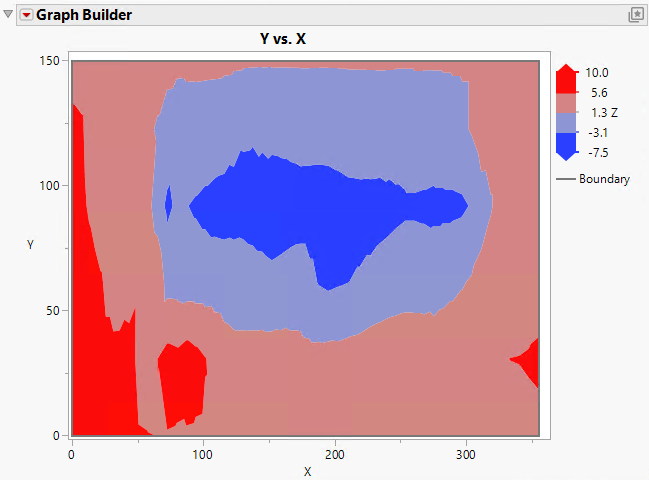
Notice the plot that is produced from the Contour platform looks slightly different from the plot that is produced by using Graph Builder.
Want more information? Have questions? Get answers in the JMP User Community (community.jmp.com).