Publication date: 07/15/2025
Example of a Scatterplot Matrix in Graph Builder
You can make the same plots that are shown in the previous example by using Graph Builder:
1. Select Help > Sample Data Folder and open Students.jmp.
2. Select Graph > Graph Builder.
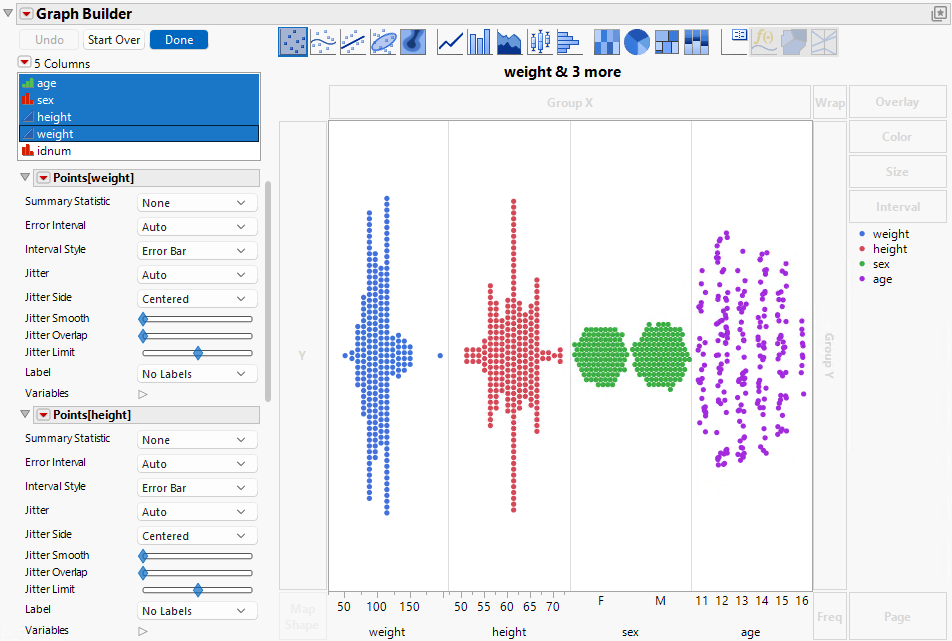
3. Select age, sex, height, and weight, press Shift, and click the X zone.
Figure 6.4 Adding Variables to the X Zone
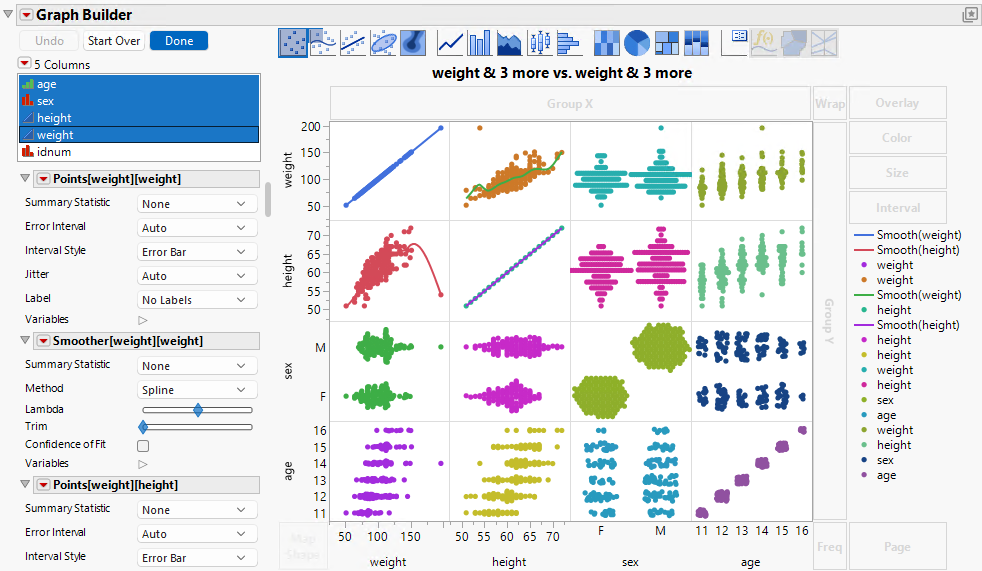
4. Select age, sex, height, and weight, press Shift, and click the Y zone.
Figure 6.5 Adding Variables to the Y Zone
5. Click the shaded area on the Smoother element ( )to deselect it.
6. Right-click the Legend and select Hide Legend.
7. Right-click the diagonal panels and select Points > Remove.
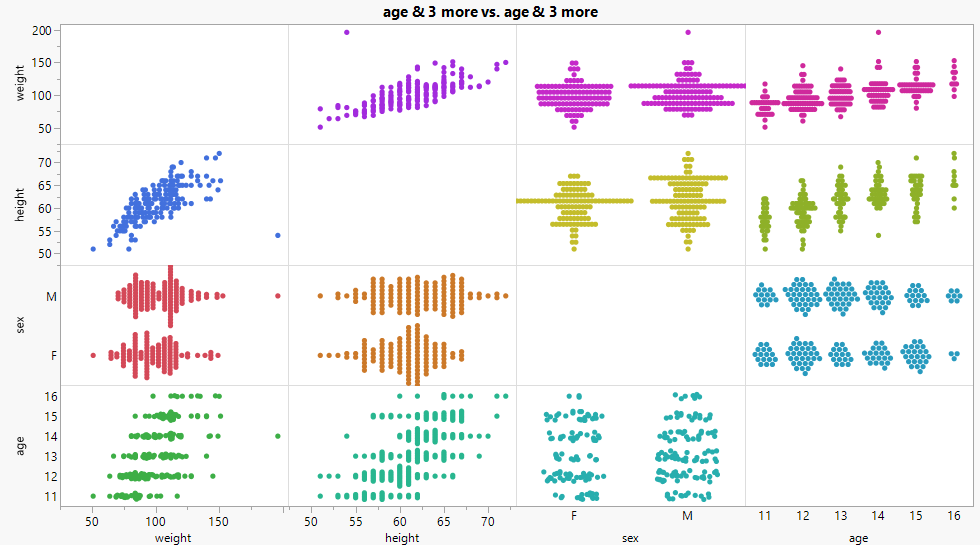
8. Click Done.
Figure 6.6 Scatterplot Matrix in Graph Builder
Want more information? Have questions? Get answers in the JMP User Community (community.jmp.com).