Publication date: 07/15/2025
Example That Uses a Grouping Variable
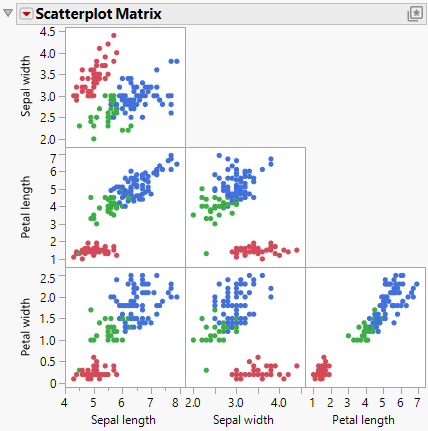
This example shows how to create a scatterplot matrix in JMP by using a grouping variable.
1. Select Help > Sample Data Folder and open Iris.jmp.
2. Select Graph > Scatterplot Matrix.
3. Select Sepal length, Sepal width, Petal length, and Petal width and click Y, Columns.
4. Select Species and click Group.
5. Click OK.
Figure 6.10 Initial Example with a Grouping Variable
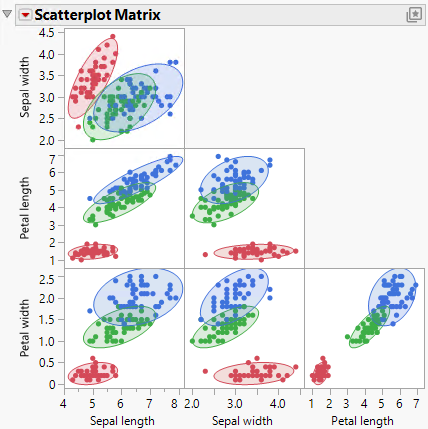
Make the groupings stand out by adding ellipses and shading:
6. Click the Scatterplot Matrix red triangle and select Density Ellipses > Density Ellipses.
7. Click the Scatterplot Matrix red triangle and select Density Ellipses > Shaded Ellipses.
Figure 6.11 Example of a Scatterplot Matrix with Ellipses
Want more information? Have questions? Get answers in the JMP User Community (community.jmp.com).