Preferences for Notebooks
Notebook preferences enable you to configure editor behavior and appearance for working with JMP Notebooks. JMP Notebooks combine code, text, and output. Adjust Notebook preferences to control the appearance and behavior of blocks or to enable AppleScript and PowerShell blocks.
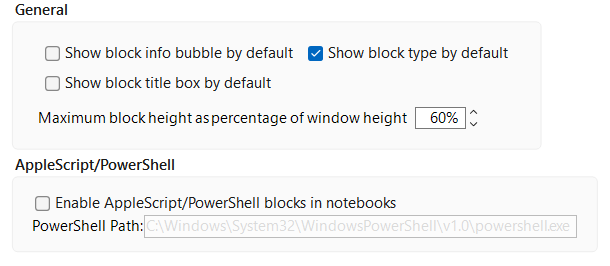
Figure 15.22 Notebook Preferences
Preference | Description |
|---|---|
Show block type by default | Shows the type of block in a drop-down menu in the top right corner of the block. The type of the block can be changed from this drop-down menu while you work in the notebook. This option is selected by default. |
Show block title box by default | Shows the title box for a block. This option is deselected by default. |
Maximum block height as percentage of window height | Specifies the maximum height of blocks in relation to the height of the notebook window. This is set to 60% by default. |
Enable AppleScript/PowerShell blocks in Notebook is enabled | Enables executable AppleScript or PowerShell code blocks within the notebook. This option is deselected by default. |
PowerShell Path | Specifies the file-path to the PowerShell that is used to execute PowerShell code blocks. This option is only available if Enable AppleScript/PowerShell blocks in Notebook preference is enabled. |