Publication date: 07/15/2025
Select Points in JMP Graphs
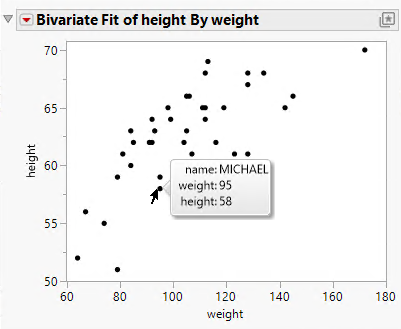
To select a point in a JMP graph, click the point. This selects the point as well as the corresponding row in the current data table. To select multiple points, press Shift while you select points. A point’s label appears when you place the cursor over the point with or without clicking.
Figure 9.29 Label for a Data Point
Tips:
• You can paste the contents of a label into another document. Right-click the label and select Copy. Paste the text into the other document.
• You can display a photo in the label if you store the image in an Expression role column. See “Expression Role”.
Want more information? Have questions? Get answers in the JMP User Community (community.jmp.com).