1.
Select Help > Sample Data Library and Diabetes.jmp.
2.
Select Analyze > Predictive Modeling > Partition.
3.
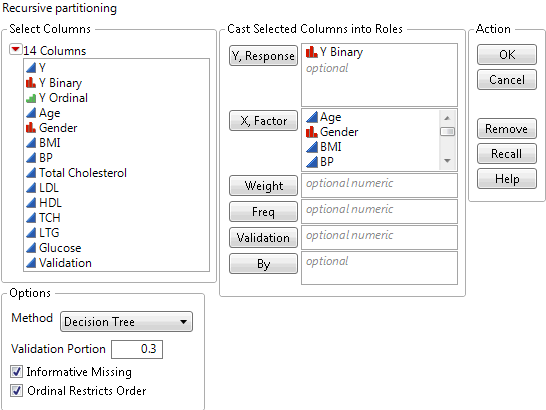
Select Y and click Y, Response.
4.
Select Age through Glucose and click X, Factor.
–
For JMP Pro, select Validation and click Validation.
–
For JMP, enter 0.3 as the Validation Portion.
Figure 4.20 Completed Launch Window with Validation Portion = 0.3
6.
7.
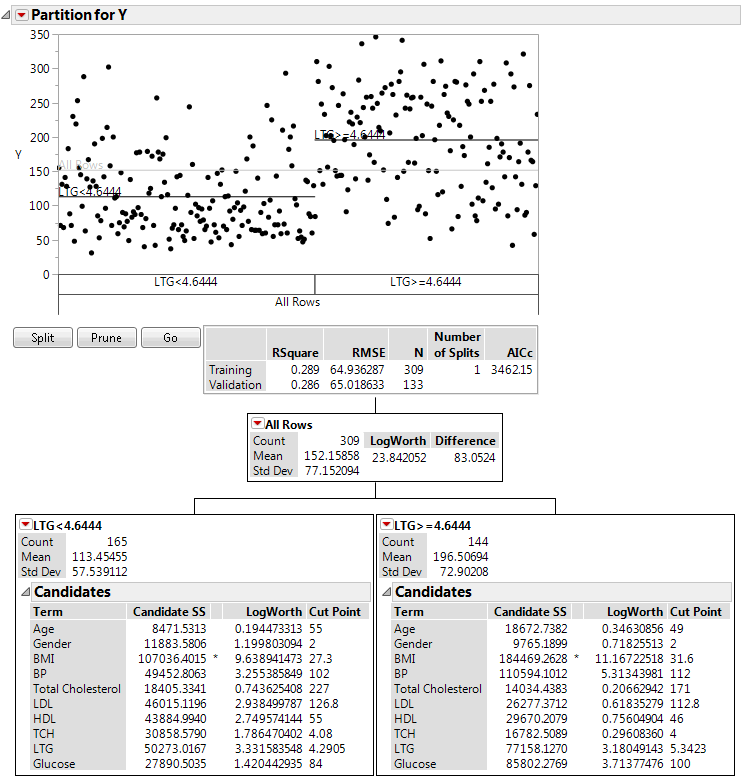
On the platform report window, click Split once to perform a split.
Figure 4.21 Report after First Split with Decision Tree Hidden
8.
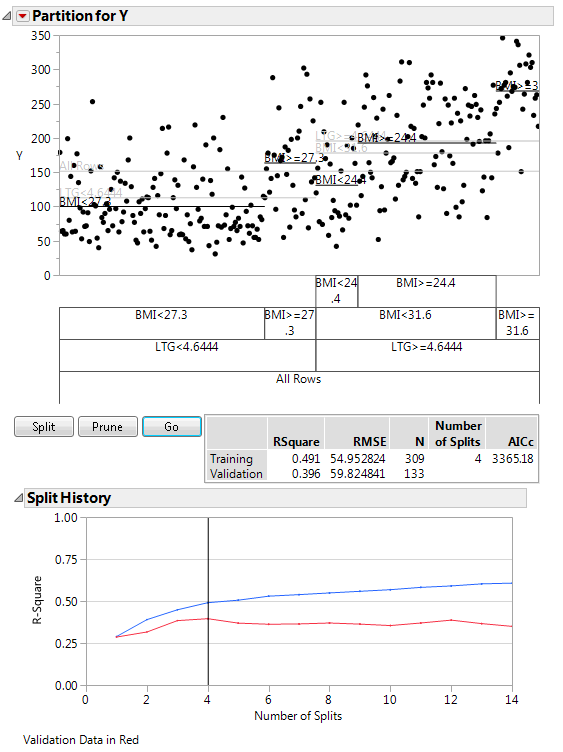
Click Go to use automatic splitting.
Figure 4.22 Report after Automatic Splitting with Validation
Help created on 10/11/2018