The Marker Admixture Report
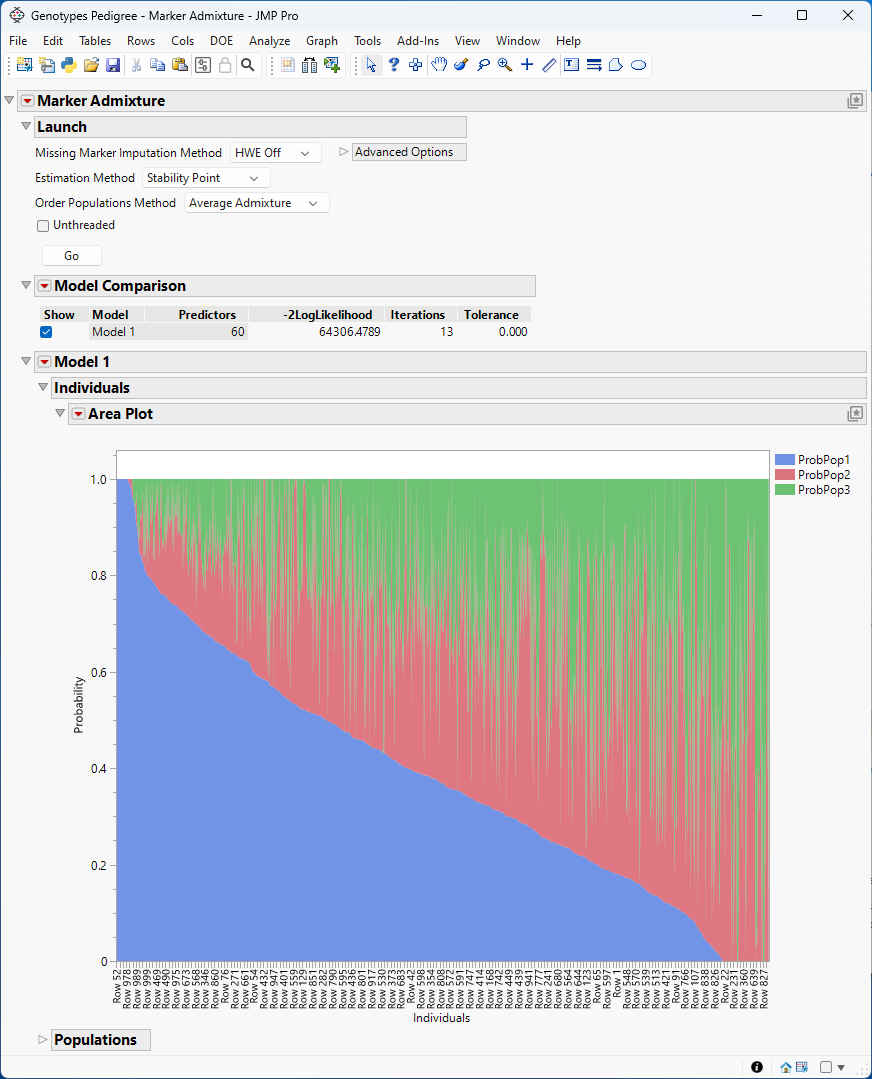
The Marker Admixture Report enables you to estimate the number of ancestral populations making up a group of samples and the relative contribution each population made to the genetic make up of each of the sample in the study.
Figure 6.4 The Marker Admixture report
The Marker Admixture Model 1 red triangle contains the following options:
Parallel Plot for Individuals
Select this option to display a Parallel Plot of the individuals. The parallel plot shows the contributions of the ancestral populations to each sample.
Parallel Plot for Markers
Select this option to display a Parallel Plot of the markers. The parallel plot shows the relative contributions of the populations on the probabilities of the genotypes.
Cluster Individuals
Select this option to display a one-way Hierarchical Clustering of the individuals based on the contributions of the ancestral populations to each sample. You can use the Two Way Clustering option under the Hierarchical Clustering red triangle to view a two-way clustering.
Cluster Markers
Select this option to display a one-way Hierarchical Clustering of the markers based on the relative contributions of the populations on the probabilities of the genotypes. You can use the Two Way Clustering option under the Hierarchical Clustering red triangle to view a two-way clustering.
Save Q Table
Use this option to display and save the Q Table.
Save P Table
Use this option to display and save the P Table.
Save F Table
Use this option to display and save the F Table.