발행일 : 03/10/2025
Edit Display Box Properties
To format reports before saving them to a script, edit display box properties such as color and position. In the report window, select Edit > Properties (Windows) or View > Show Properties (macOS) and then click the node that you want to edit.
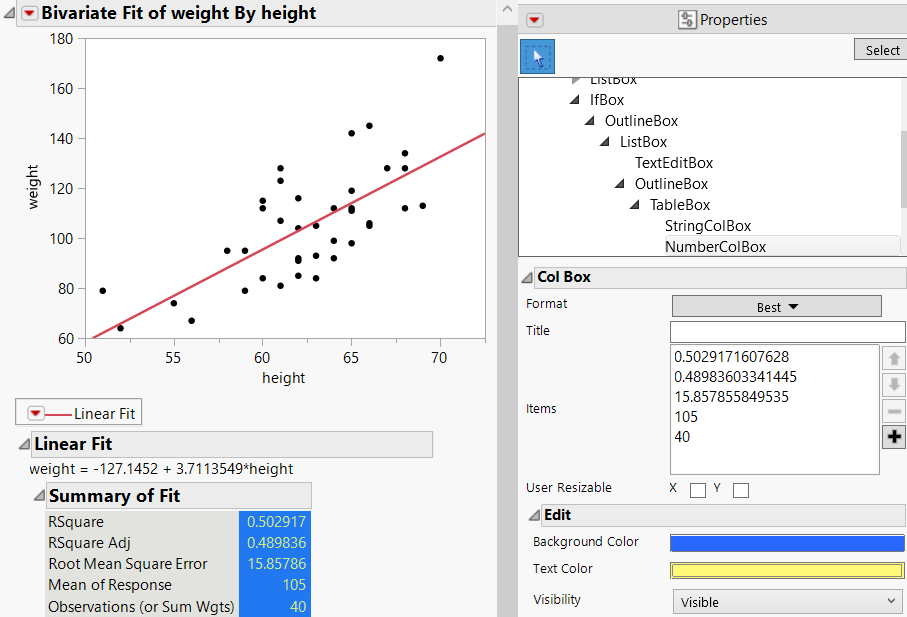
In Figure 11.5, the Summary of Fit statistics were selected below the graph. The Background Color and Text Color were then changed in the Properties. These changes are preserved when you save the report as a script or journal the report.
Figure 11.5 Example of Showing Properties for a Plot
더 많은 정보를 원하십니까? 질문이 있습니까? JMP 사용자 커뮤니티에서 답변 받기 (community.jmp.com).