
This example shows how to compare a definitive screening with a Plackett-Burman design using the Evaluate Design platform. For an extensive example using the Compare Designs platform, see Designs of Same Run Size in Compare Designs.
|
1.
|
Select DOE > Definitive Screening > Definitive Screening Design.
|
|
2.
|
|
3.
|
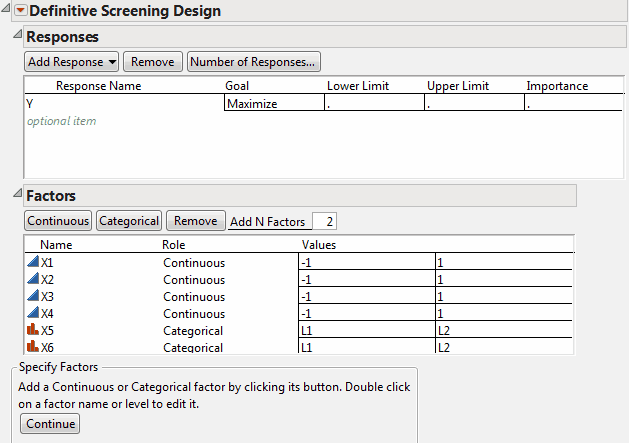
|
4.
|
Click Continue.
|
|
5.
|
Next to Number of Extra Runs, select 0.
|
|
6.
|
Click Make Design.
|
|
7.
|
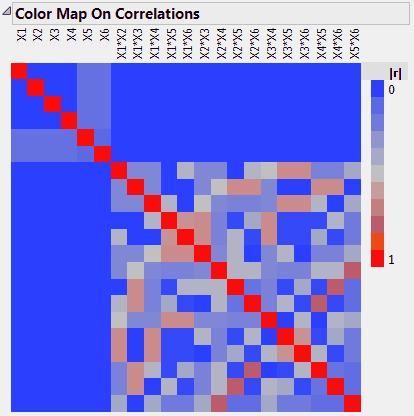
Open the Design Evaluation > Color Map On Correlations outline.
|
Figure 6.13 Color Map for Definitive Screening Design
|
1.
|
Select DOE > Classical > Screening Design.
|
|
2.
|
|
3.
|
|
4.
|
Click Continue.
|
|
5.
|
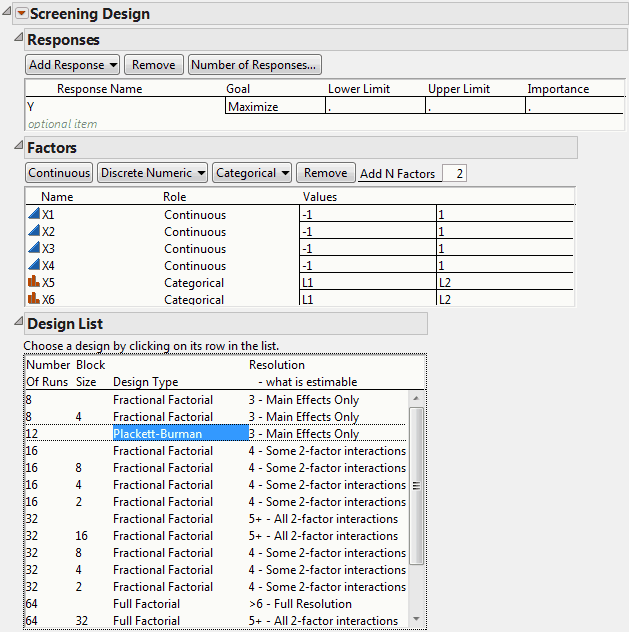
Figure 6.14 Plackett-Burman Design
|
7.
|
Click Continue.
|
|
8.
|
Open the Design Evaluation > Color Map On Correlations outline.
|
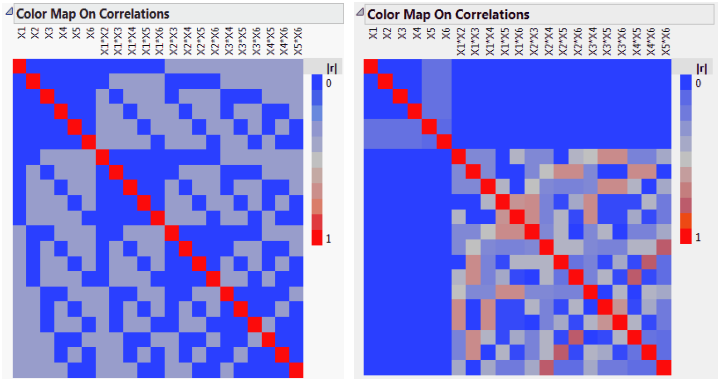
Figure 6.15 shows both color maps, but shows only the portion of the Plackett-Burman color map that involves main effects and two-way interactions. (To construct the color map for the Plackett-Burman design without the three-way interactions, construct the design. Then obtain the color map using Evaluate Design.)