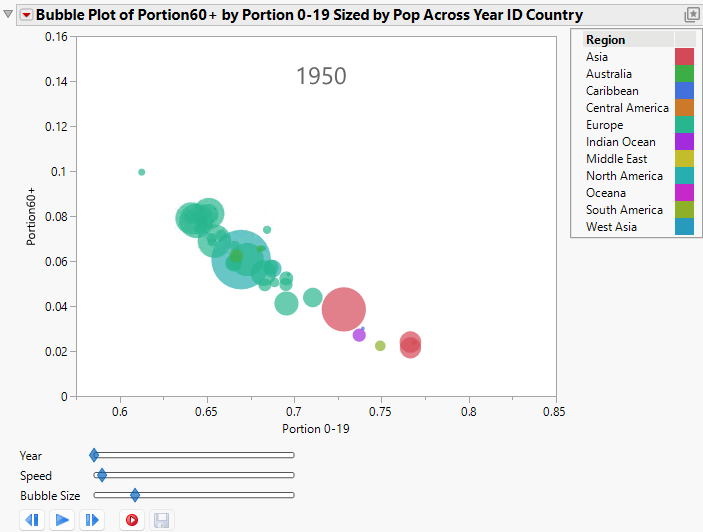
Bubble Plots
View Patterns in Multidimensional Data Using Bubble Plots
A bubble plot is a scatterplot that represents its points as circles, or bubbles. Bubble plots can be dynamic (animated over time) or static (fixed bubbles that do not move). Use bubble plots to perform the following tasks:
• dynamically animate bubbles by using a time variable to see patterns and movement across time
• use size and color to clearly distinguish between different variables
• aggregate data (rows) into a single bubble, which simplifies the bubble plot
Because you can see up to five dimensions at once (x position, y position, size, color, and time), bubble plots can produce dramatic visualizations and readily show patterns and trends.
Note: Dynamic bubble plots were pioneered by Hans Rosling, Professor of International Health, Karolinska Institutet, and the people involved in the Gapminder.org project.
Figure 5.1 Example of a Bubble Plot